AI in construction 1:1 coaching
Put AI to work
on your next bid.
Practical coaching for estimators, project managers, and contractor owners. Build a working workflow using your plans, your tools, and a real project.
Start with a conversation. No payment to book.

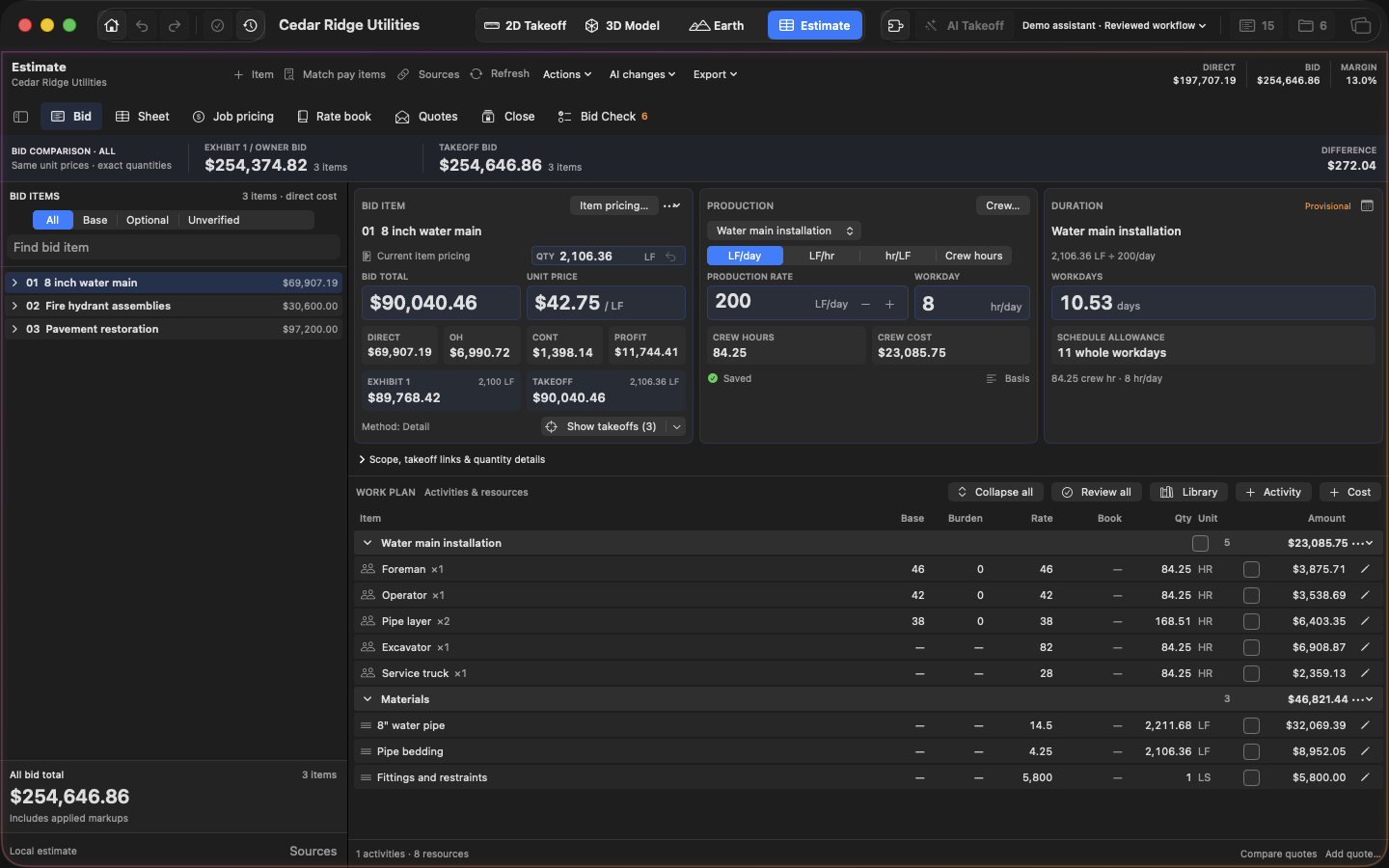
The work we can do
Start with the task
that slows you down.
Pick one workflow. We build it together, check the results, and leave you with a process you can use on the next job.
Find your starting point01Takeoffs & quantities
Run an AI-assisted first pass on your plan set, then review the lengths, areas, and counts. Leave with reusable prompts and a quantity-checking checklist.
02Estimate builds & rate lookups
Turn quantities into an estimate using your rate sheets, crews, and production assumptions. Keep a template and prompts for finding the right rates.
03Specs, scope & risk review
Pull bid items, special conditions, and questions from the plans and specs. Build a scope summary and risk checklist you can review before pricing.
04Bid questions & supplier RFQs
Draft RFIs, pre-bid questions, and supplier requests from your project documents. You review and send; the email templates and prompts are yours to keep.
05Agents & recurring tasks
Set up one repeatable workflow for rate lookups, report exports, or bid inbox triage, running on your computer or account with clear review steps.
06Small tools & spreadsheet cleanup
Build a unit-price calculator, bid log, or spreadsheet helper. Clean up a Viewpoint export so you can compare it with your bid. You keep the tool.
How it works
- 01 / TALK
A quick fit call
15 minutes to talk through your work and choose a useful starting point.
- 02 / BUILD
Work on a real project
We build the workflow live using a plan set, estimate, or task you can share.
- 03 / KEEP
Use it on the next job
Keep the prompts, templates, and written notes, plus a recording with your OK.
Ways to work together
Clear scope.
Straightforward pricing.
Start free, then choose the level of help that fits. Every paid session is built around your work.
Payment by Venmo after we confirm your time. Send it to @buildmase. Invoices available for companies.
Fit call Start here
15 minutes to see if we're a good fit.
Single session
90 minutes. One working workflow, a recording, and notes.
3-session package Recommended
Three workflows over 3 to 6 weeks. Questions between sessions.
Team workshop
Company-specific workflows. Scope and format agreed together.
Let's get started
Bring a task.
We'll find a way forward.
Tell me a little about your work and a few times that suit you. I'll email you to confirm a time.
No payment is collected here. Please leave confidential project details out of this form.
hi@masonearl.comBefore we meet
A few useful details.
I use these workflows every day as an estimator at a Utah gas and utility contractor. Our session starts with the work you actually need to get done.
What should I bring?
A real bid, plan set, or task you have permission to share. Redact confidential information or use a non-confidential example. We'll choose the right materials on the fit call.
Do you record the session?
Yes, with your OK. I send the recording and written notes within 24 hours.
What if I need to reschedule or cancel?
Give 24 hours notice to cancel or move a session. Cancel 24 hours or more before the first session for a full refund.
Can I get a refund on a package?
Unused package sessions are refundable within 60 days. Used sessions are not.